GMDE Sample Datasets
Click (or tap if in IOS) on an image to download a .zip file of the project which contains the DEM and two to three map images as MBTiles files. Most topo images have been texture shaded (Allmendinger & Karabinos, 2023) to enhance the geological structure. Each project is in a single .zip archive.
To use these files in GMDE (desktop) for Windows, Mac, or Linux, simple select File>Open and choose the .zip file in the file chooser dialog box. GMDE will expand the zip archive and make a folder with all of the files in the correct place. All you need to do is to choose File>Save to start a GMDEbinary file to which you will add data.
To use these files in GMDE Lite for iPhone or iPad, first send the zip archive to your iOS device using AirDrop or iCloud Drive. Alternatively, just visit this web page while on your iOS device and tap the download link. If you are asked where to put the file, choose the Files app. Then, start up GMDE Lite, go to the Settings Screen, tap Open Project, and select the .zip archive (look first in the Recent Files section). GMDE Lite will expand the archive, put all of the files in the right place, and open the project.
Clicking on the images below will take you to my download site at Proton.me. Once there, be sure to download the .zip file and not the individual files. Just click the Download button in the upper right corner of the screen as shown or the purple button. if your computer unzips these archives automatically, throw away to folder it creates. Both GMDE and GMDE Lite will read the zip file directly.
Most of these images were generated by Natural Scene Designer Pro. To make your own GMDE projects, check out my new apps MBTileMakerViewer and DEM Masher. The latter can produce grayscale texture shade images but not the color texture shade draped over the DEM and re-rendered as a hillshade like the images shown here. For that, you need NSD Pro.
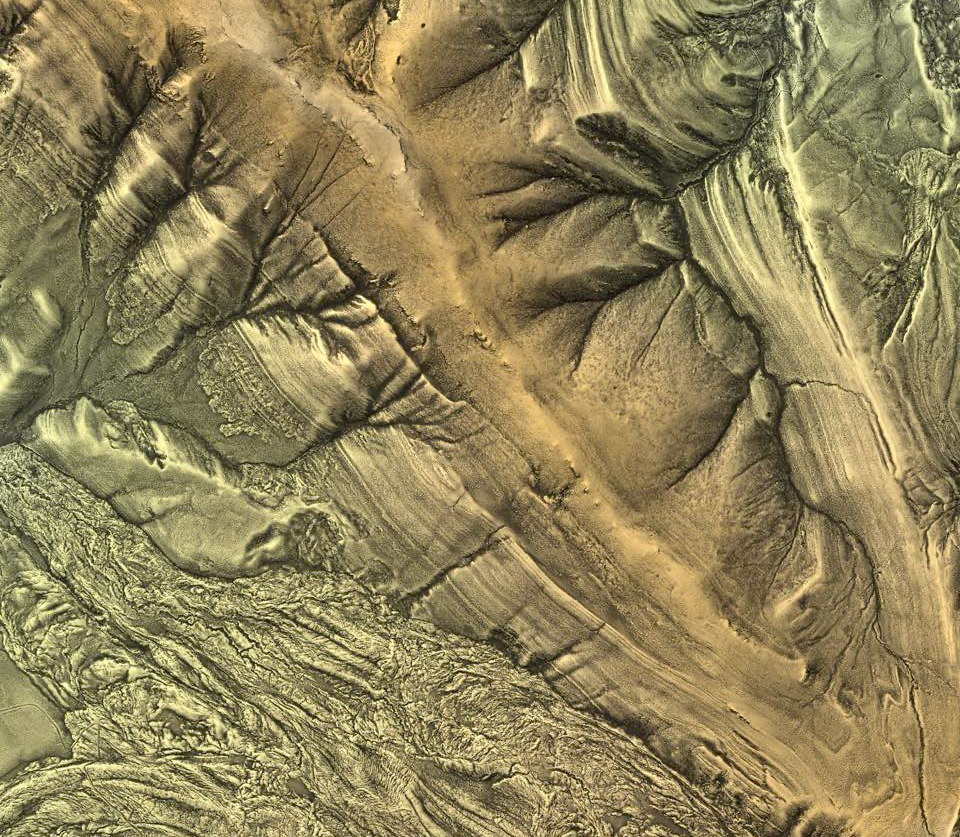
Mystic Lake Quadrangle geologic map and LiDAR texture shaded image and DEM. This map was recommended by Bob Burger on the NAGT website. Great Laramide structure and beautifully imaged stratigraphy.

Chukanut Mountains, Washington —Project includes a beautiful lidar texture-shaded image as well as a geologic map

Poker Peak, Idaho — NEW! Now with a LiDAR DEM and texture shaded relief! Project includes a geologic map, topo map, and satellite image

Hudson Valley Fold and Thrust Belt, eastern New York. This project contains the classic road cuts along Rt. 23 west of Catskill

Siffleur River, Alberta, Canada — Classic Canadian Rockies thrust belt

Mora River, New Mexico — Laramide and Basin and Range structures superimposed on the Proterozoic basement and overlying Paleozoic strata. Project includes a LiDAR topo image, DEM, and geologic map

Sheep Mtn, Wyoming — The Bighorn Basin classic texture shade rendered from 2 m LiDAR topo, with geologic map as well

Mt. Greylock, MA — Berkshire geology rendered as a 3 m LiDAR texture shade and accompanying geologic map

Baraboo Syncline, WI — Includes regional 10 m topo and a Lidar DEM/Image of Devils Lake area

Bear Valley, Pennsylvania — The famous Whaleback anticline imaged with LiDAR texture shading with 5 ft contours.

Poleta Folds, CA — Classic field trip locality for California schools. Project has a LiDAR texture shade rendered DEM and 1 m NAIP satellite image

Holyoke Range, MA — Rendered 3 m LiDAR texture shade image
![Carrizo Plain, CA — 1 m Lidar DEM texture shaded image of classic San Andreas locality. [If the screen shows all black when you first load the project, just scroll to the middle of the image: the map is a thin NW oriented strip.]](https://images.squarespace-cdn.com/content/v1/5fd3a0dac47b7d485d6715e5/48b0db59-5795-472d-b4c5-3c24fad7fad0/Screenshot+2024-10-22+at+9.56.25%E2%80%AFAM.png)
Carrizo Plain, CA — 1 m Lidar DEM texture shaded image of classic San Andreas locality. [If the screen shows all black when you first load the project, just scroll to the middle of the image: the map is a thin NW oriented strip.]

Paul Karabinos' four synthetic geologic maps for teaching — Very cool simplified examples of different types of map relations with DEM that matches the topo contours

Glacier National Park, MT — 3 m LiDAR DEM, texture shade image, and geologic map

Williamsport PA — The northern terminus of the Nittany Anticlinorium in the PA Valley & Ridge. LiDAR texture shade and geological basemaps and 3 m LiDAR DEM

Raft River UT metamorphic core complex — 2 m LiDAR DEM, texture shade image, and geologic maps